Managing your availability
Set up your availability
-
Go to Settings.
-
Select Practice Information.
-
Navigate to Operational hours.
-
Toggle on/off to adjust your availability as needed.
-
Select start and end time
-
Once your Availability is set, 'Save' your changes.
Secure messaging with WithinEHR
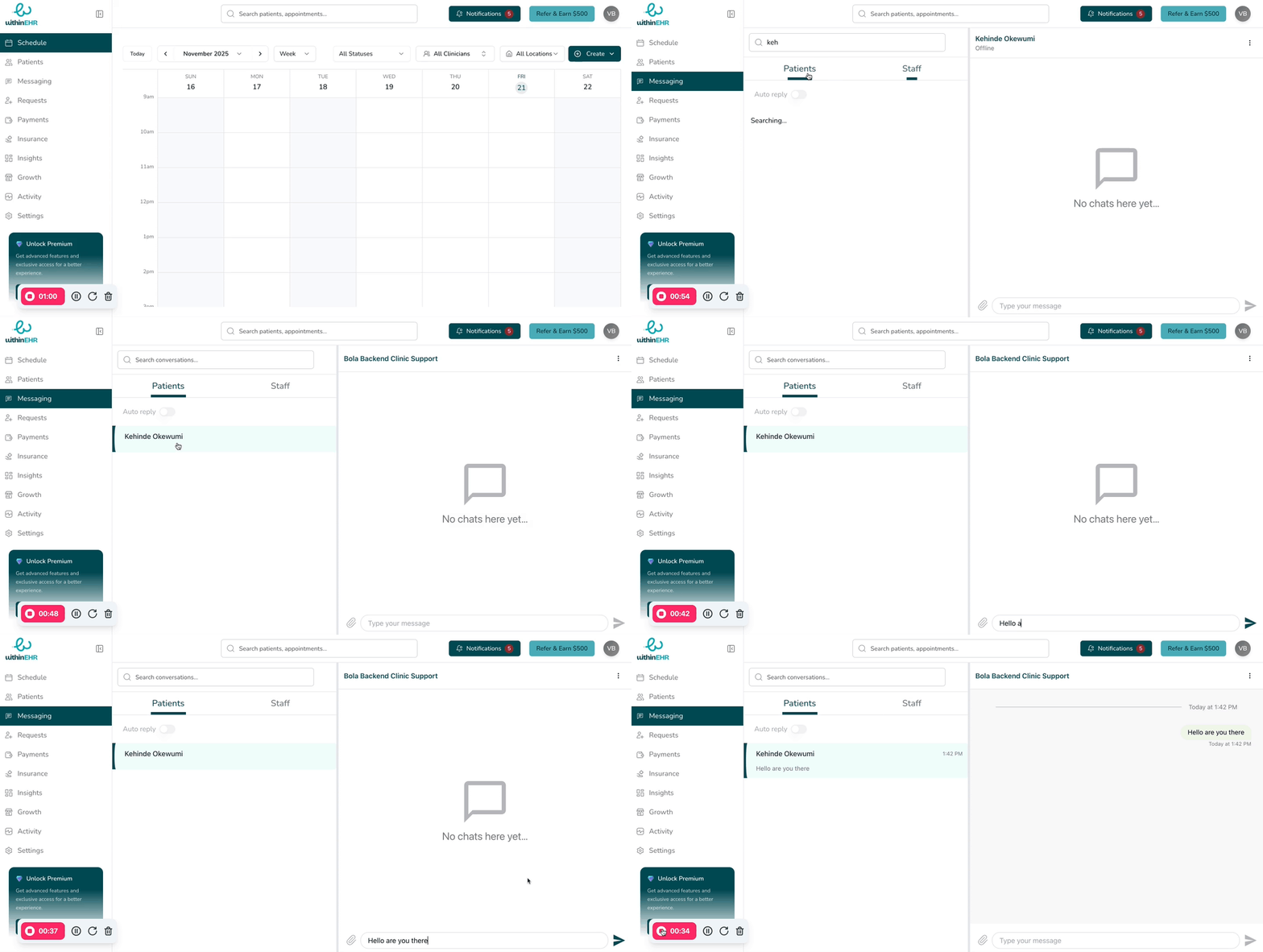
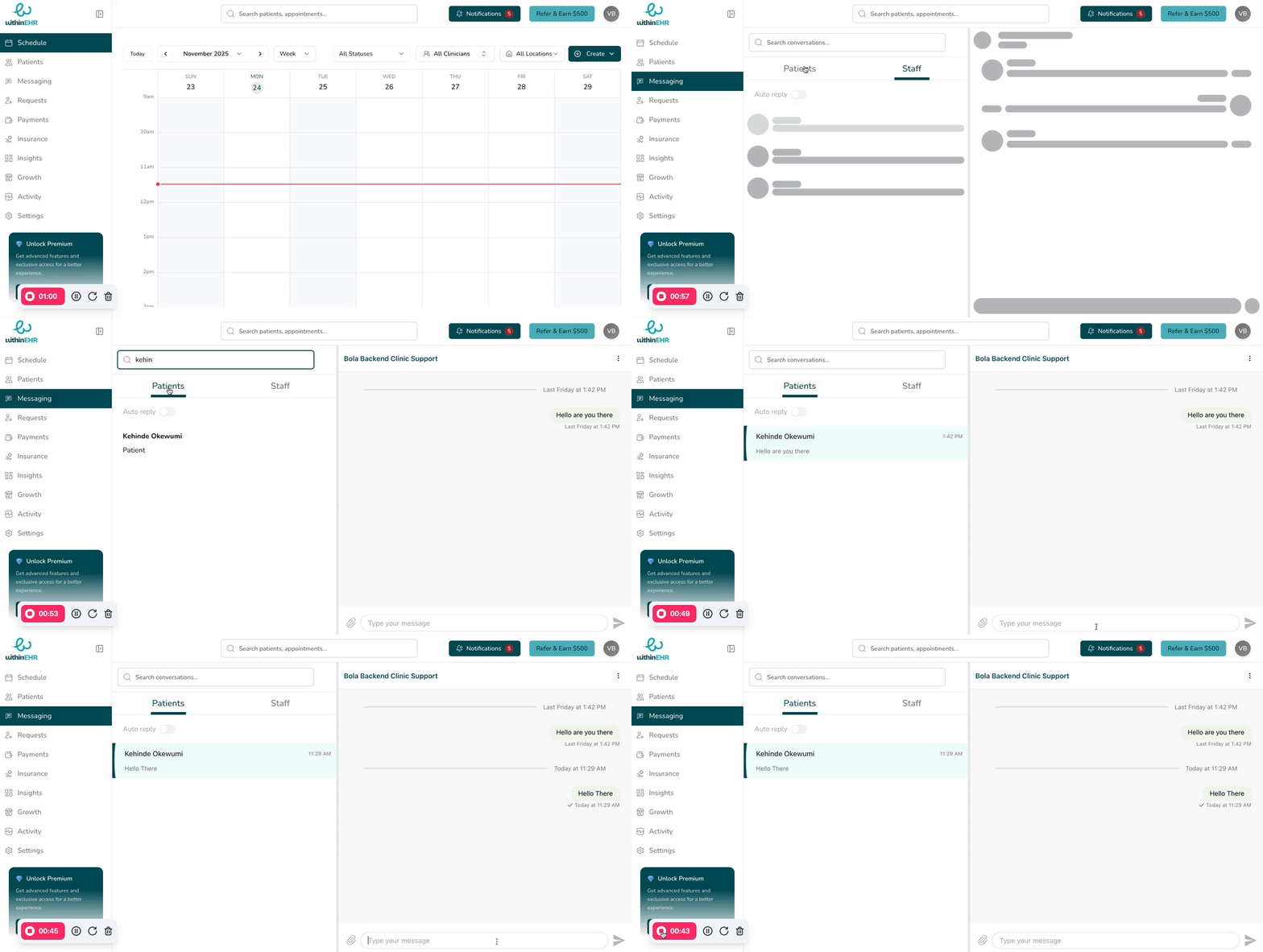
Send secure messages to your clients
-
Go to Messaging
-
Search for the Patient you intend to message
-
Once the Patient name shows up click to open the messaging modal
-
Type your Message
-
Send the message using the send icon.