Schedule an appointment
Scheduling appointments efficiently is key to maximizing your time and revenue. The system manages all the details—notifications, team assignment, and availability checks—so you can focus entirely on providing the service.
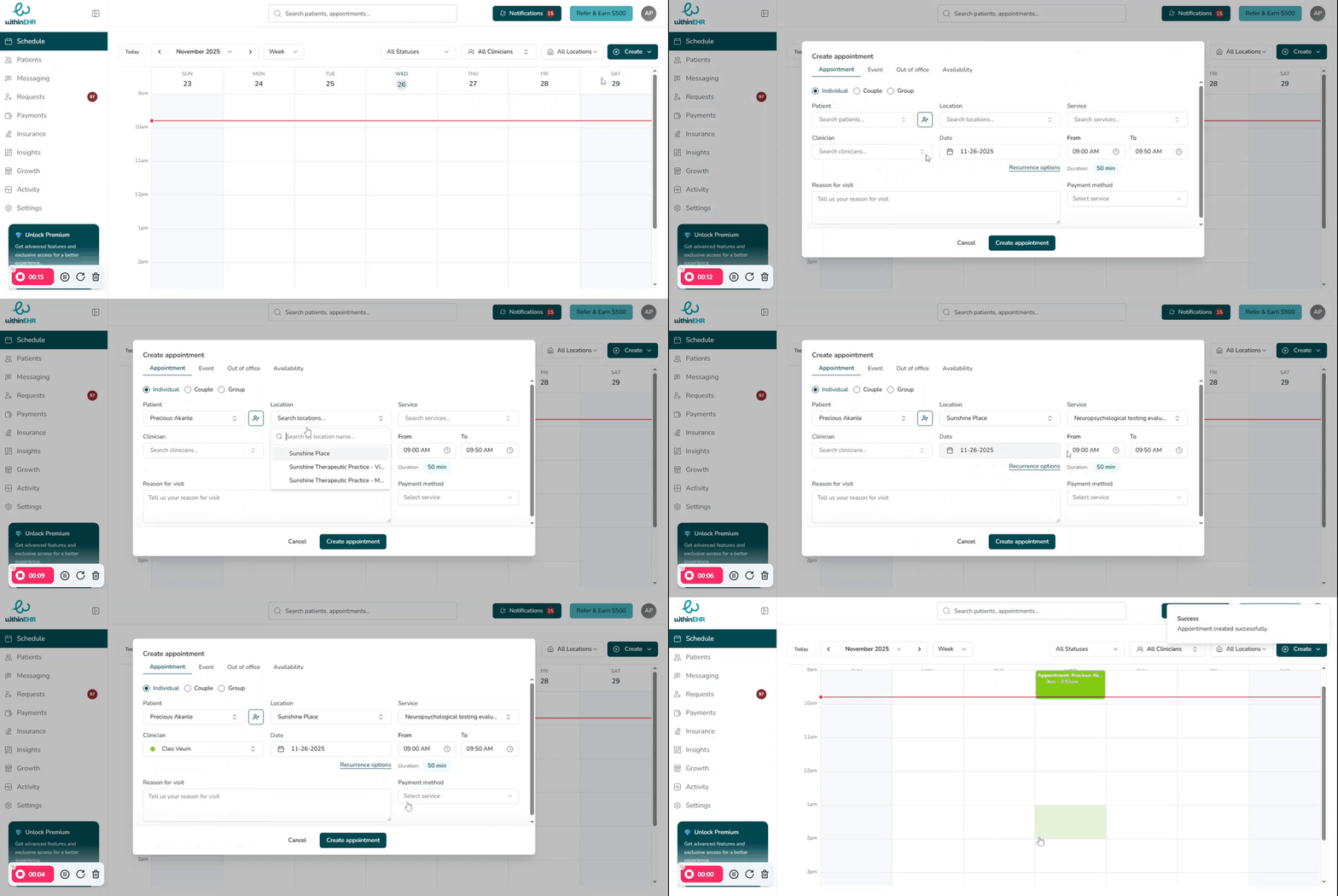
Schedule a new appointment
Create a new appointment for a client.
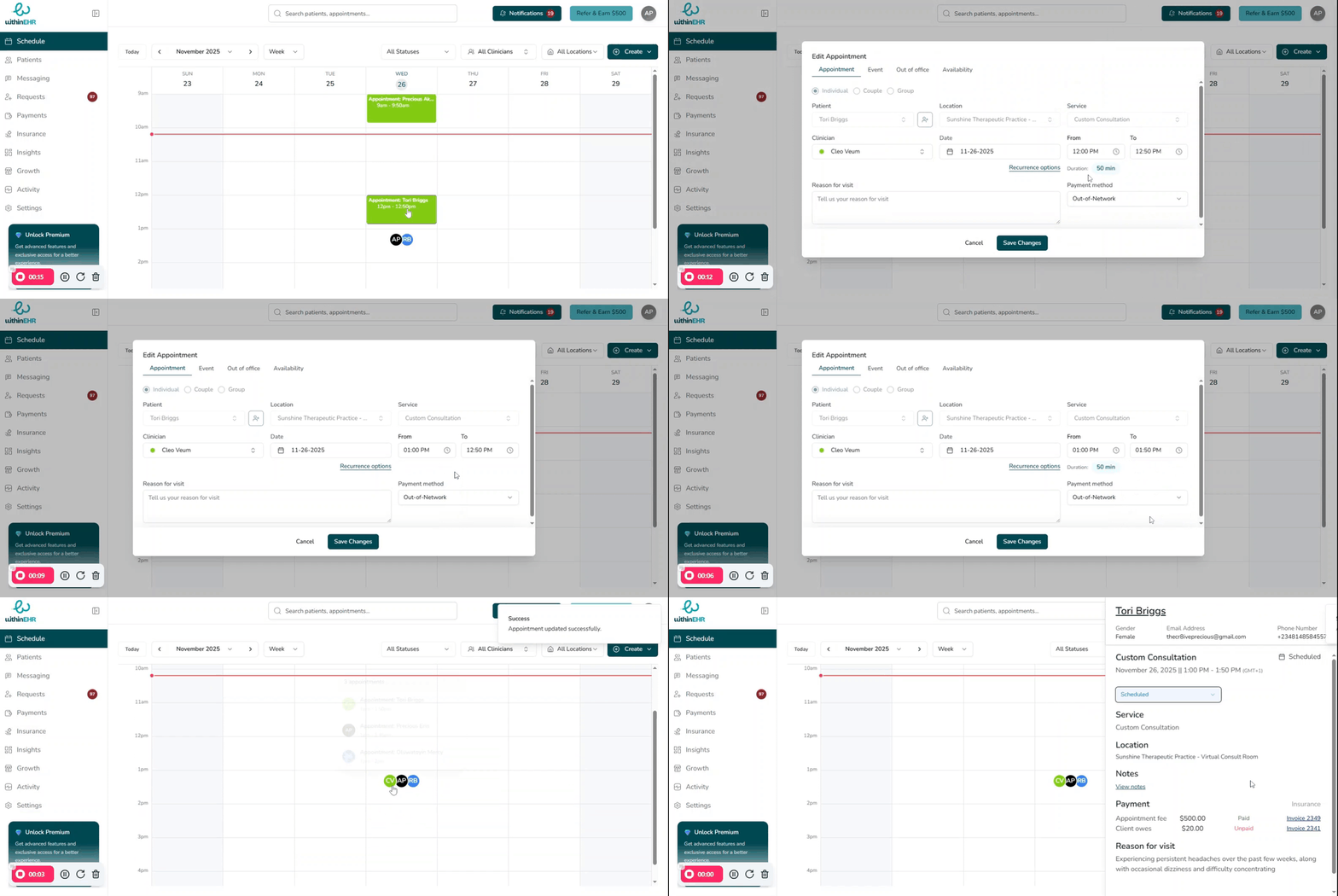
Need to reschedule a client quickly? WithinEHR makes rebooking easy directly from your calendar.
Rebooking from the calendar is more efficient with its visual drag-and-drop interface, eliminating the need to search for clients or navigate between screens
Step 1: Locate the Appointment
- Navigate to Calendar: Click "Calendar" to view your schedule. Select "Edit Appointment"
- Find the Slot: Locate the appointment block with client details.
Step 2: Confirm
- Drag-and-Drop: Click "Save Changes" in the appointment window.
View unassigned appointments in the calendar
See appointments that haven't been assigned to a specific provider or location.