Sync Calendar
Sync your WithinEHR calendar with external calendar applications like Google Calendar, Outlook, or Apple Calendar.
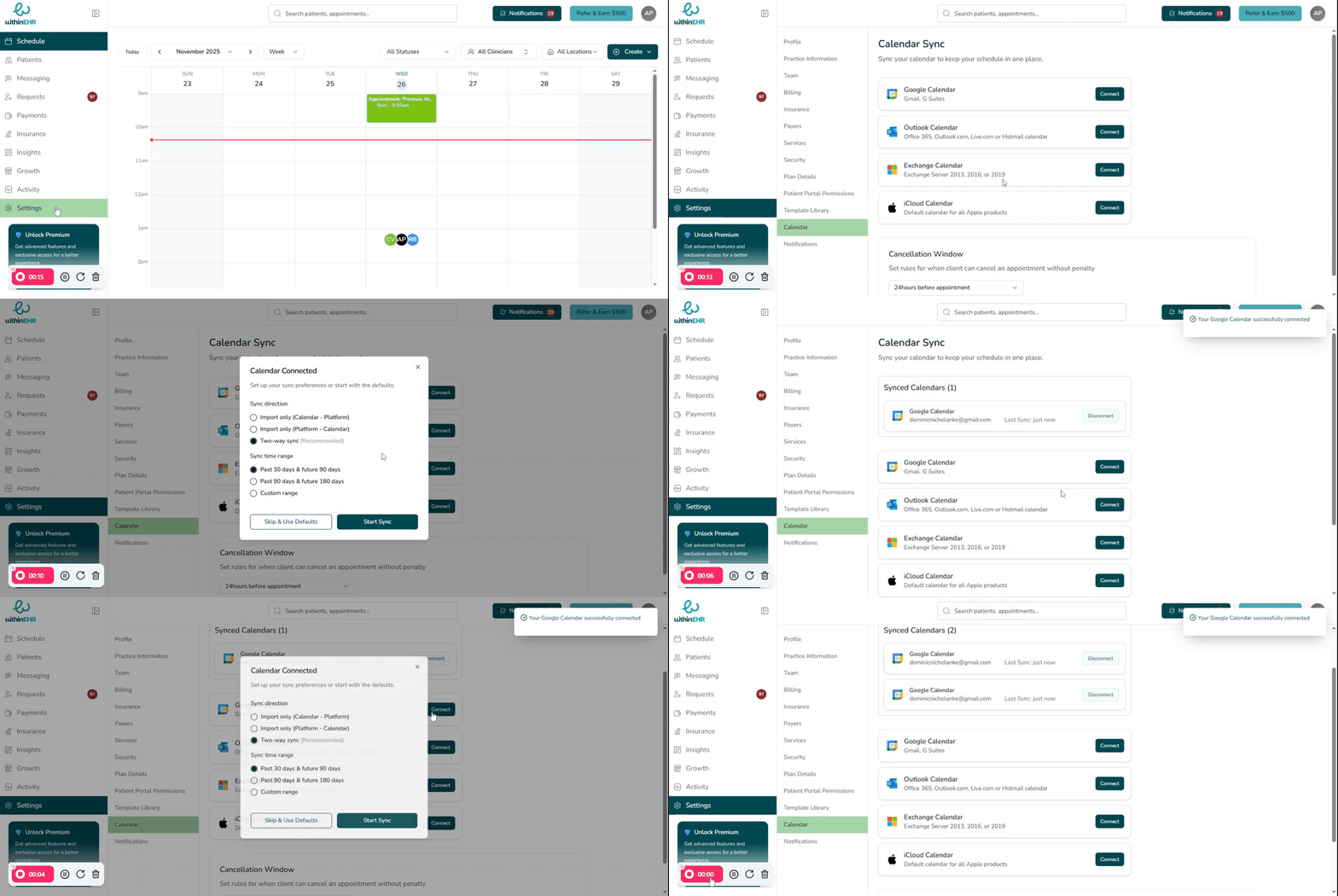
Connects your EHR schedule to external calendars (Google Calendar, Outlook, Apple Calendar).
Why Sync?
Ensures efficiency and prevents missed appointments.
How the Sync Calendar Function Works
The sync function typically operates via a secure, one-way or two-way connection protocol (often using iCal or API integration).
- Navigate to your Settings menu within the EHR scheduling module.
- Look for the "Calendar " option.
- Select the external calendar provider you wish to use (e.g., Outlook).
- Select your “Sync direction” and “Sync time range”
- Click “Start Sync”