Client Portal Documentation
Comprehensive documentation for the client portal features and functionality.
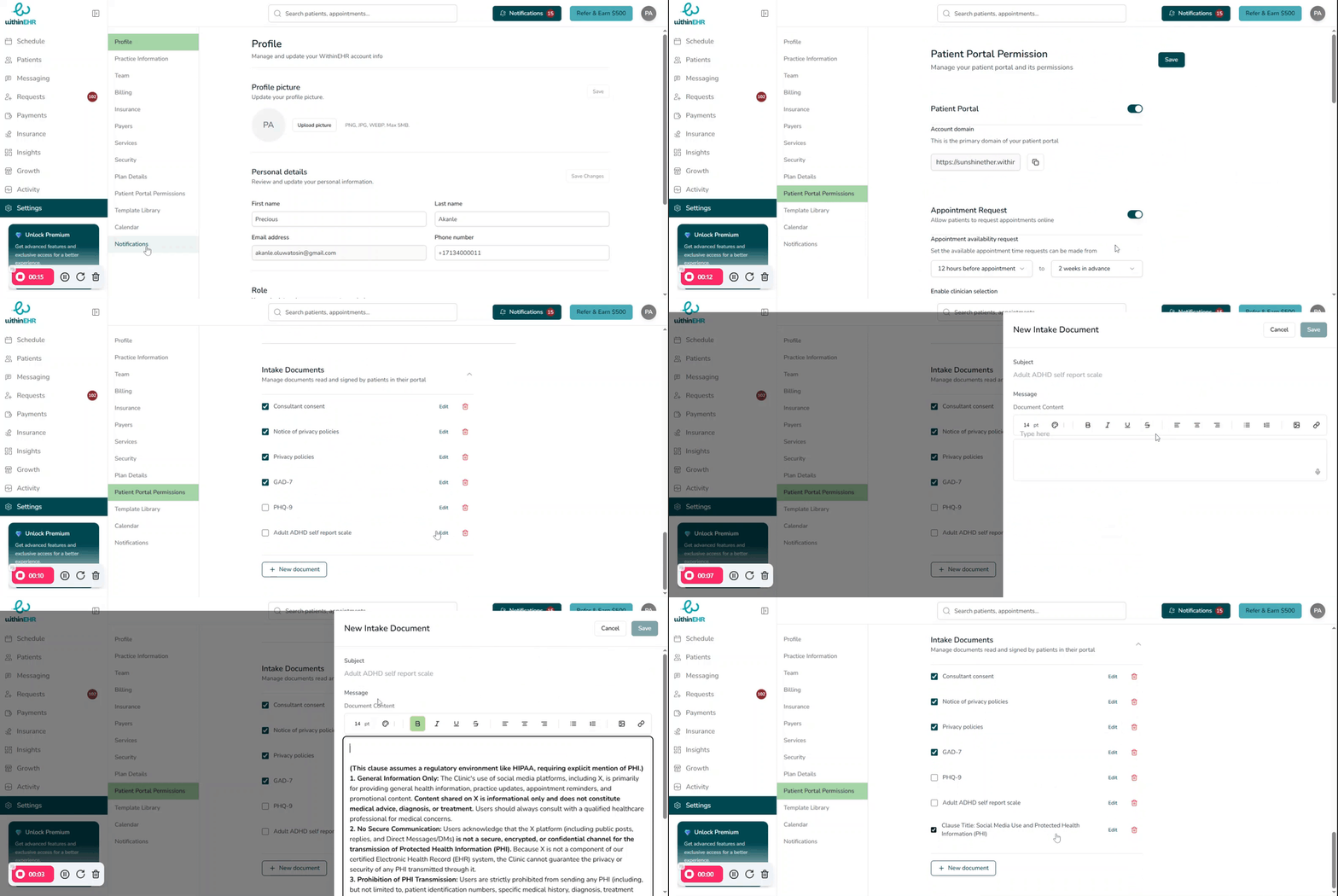 The Customizing and Adding Practice Documents function allows your practice to tailor its internal forms, consent documents, and clinical templates directly within the EHR system. This ensures that all documentation perfectly aligns with your specific clinical protocols, state regulations, and branding needs.
How to Customize and Add Documents
- Access the Intake Documents: Navigate to the "Patient Portal Permissions" module within the “Settings tab” of the administrative section of the EHR.
- Select "New Document"
- Utilize the Editor: Use the built-in document editor to add the necessary documentation.
- Finalize and Activate: Save the document with a clear, descriptive name (e.g., "2024 Telehealth Consent - Final"). Check the document to make it available immediately to staff for use in patient charts or the Patient Portal.