Get started with WithinEHR
Welcome to WithnEHR! This platform is specially built to simplify your workflow, streamline your day, and help you deliver exceptional care with ease.
Let’s get started—discover how effortless and rewarding managing your practice can be!
- Setting Up Your Account: Create your profile, set your preferences, and configure your practice details to tailor WithinEHR to your needs.
- Scheduling: Set appointments, automate reminders, and manage your calendar seamlessly.
- Billing: Simplify invoicing, payments, and track finances all in one place.
- Client Records: Keep patient details, notes, and health data organized and accessible.
- Your Team: Add team members and collaborate effortlessly, whether solo or group practice.
Your journey to a simpler, smarter practice begins here—just pick the area you want to explore first and see how WithinEHR fits your workflow.
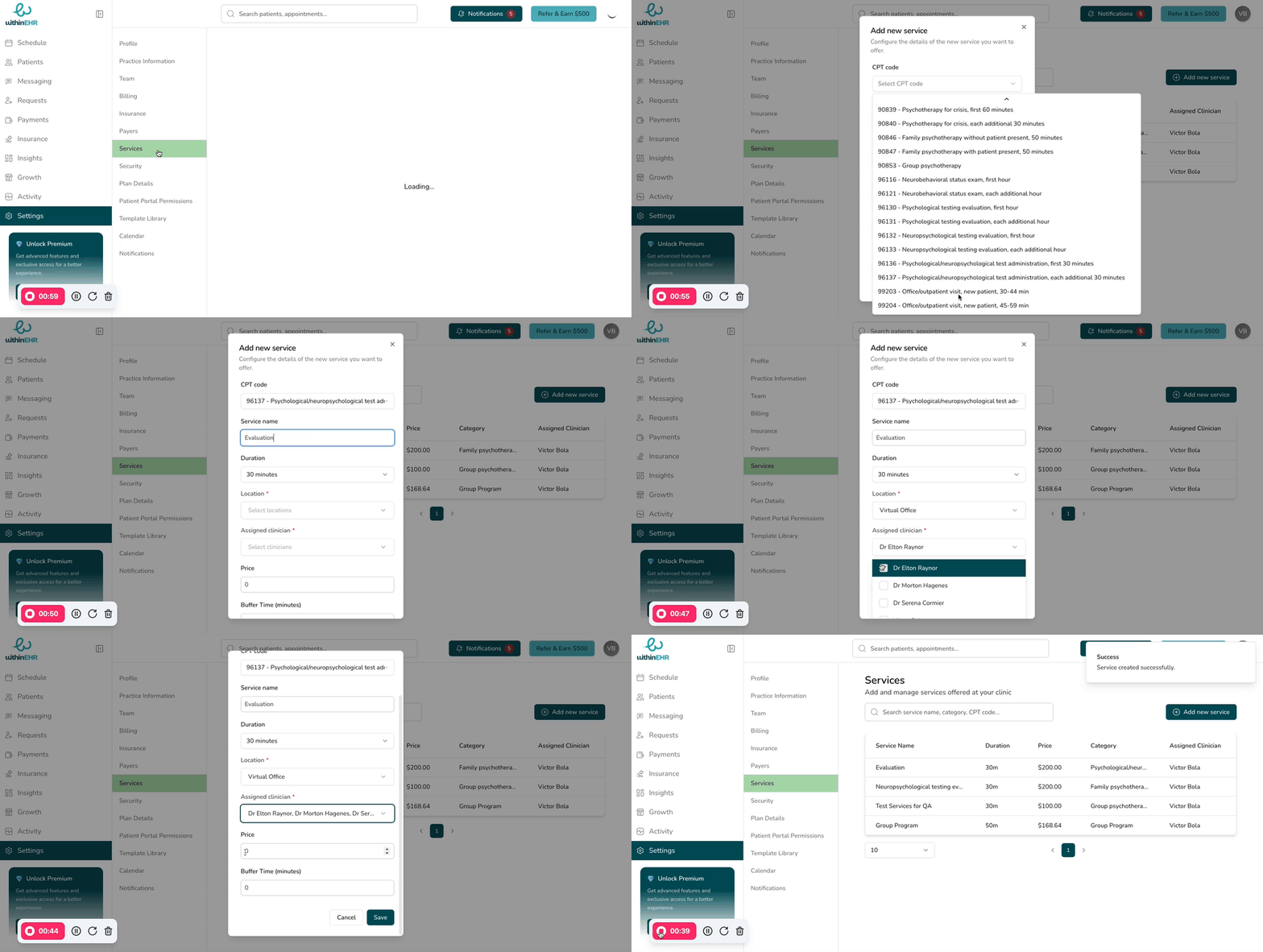
Set up your services
Next, configure the services you'll offer to clients.
-
Go to Settings.
-
Click on Services.
-
Select '+ Add new services.'
-
Fill out the required information for each service and select your preferred option for location and clinician.
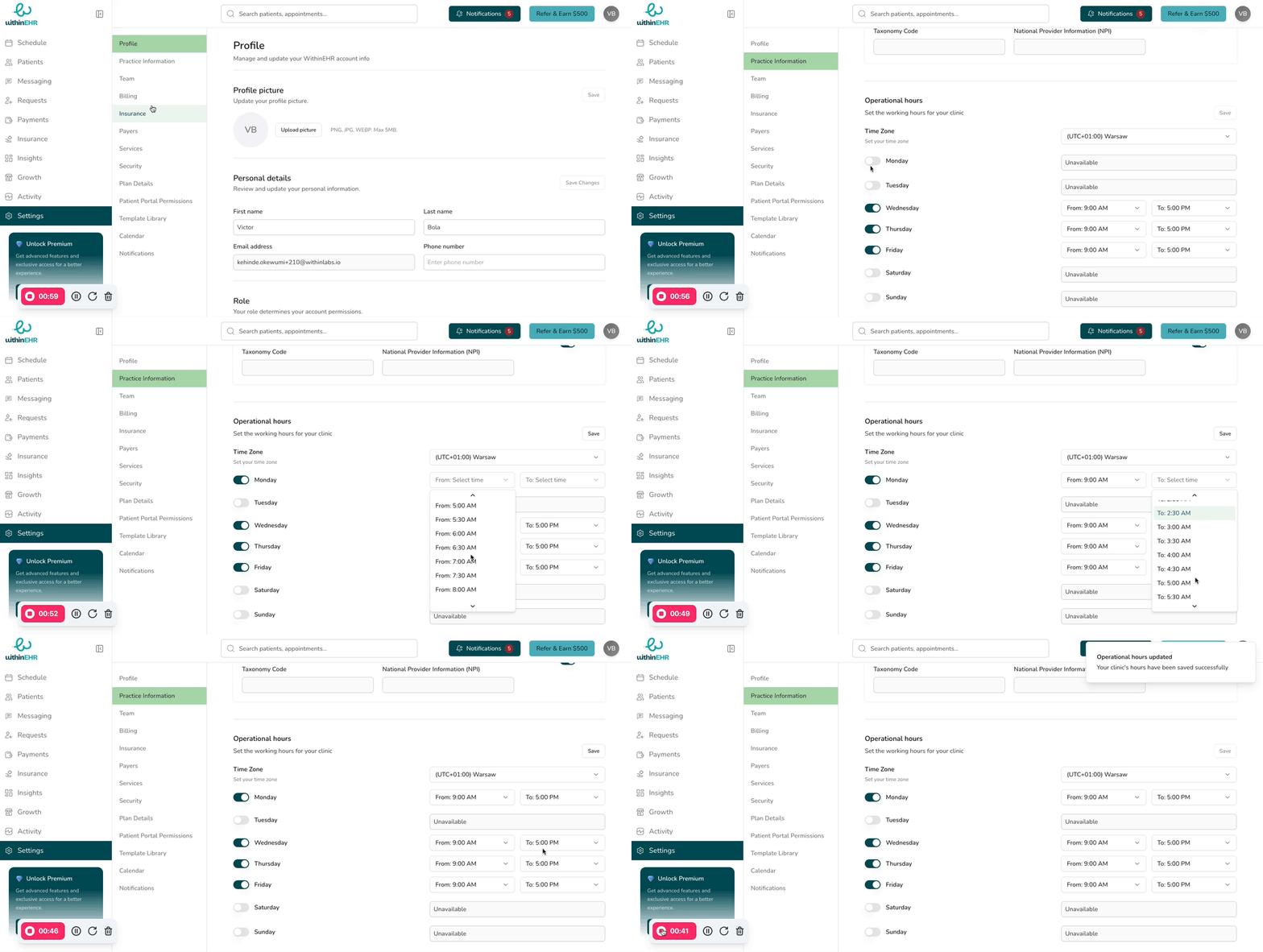
Set up your availability
-
Go to Settings.
-
Select Practice Information.
-
Navigate to Operational hours.
-
Toggle on/off to adjust your availability as needed.
-
Select start and end time
-
Once your Availability is set, 'Save' your changes.