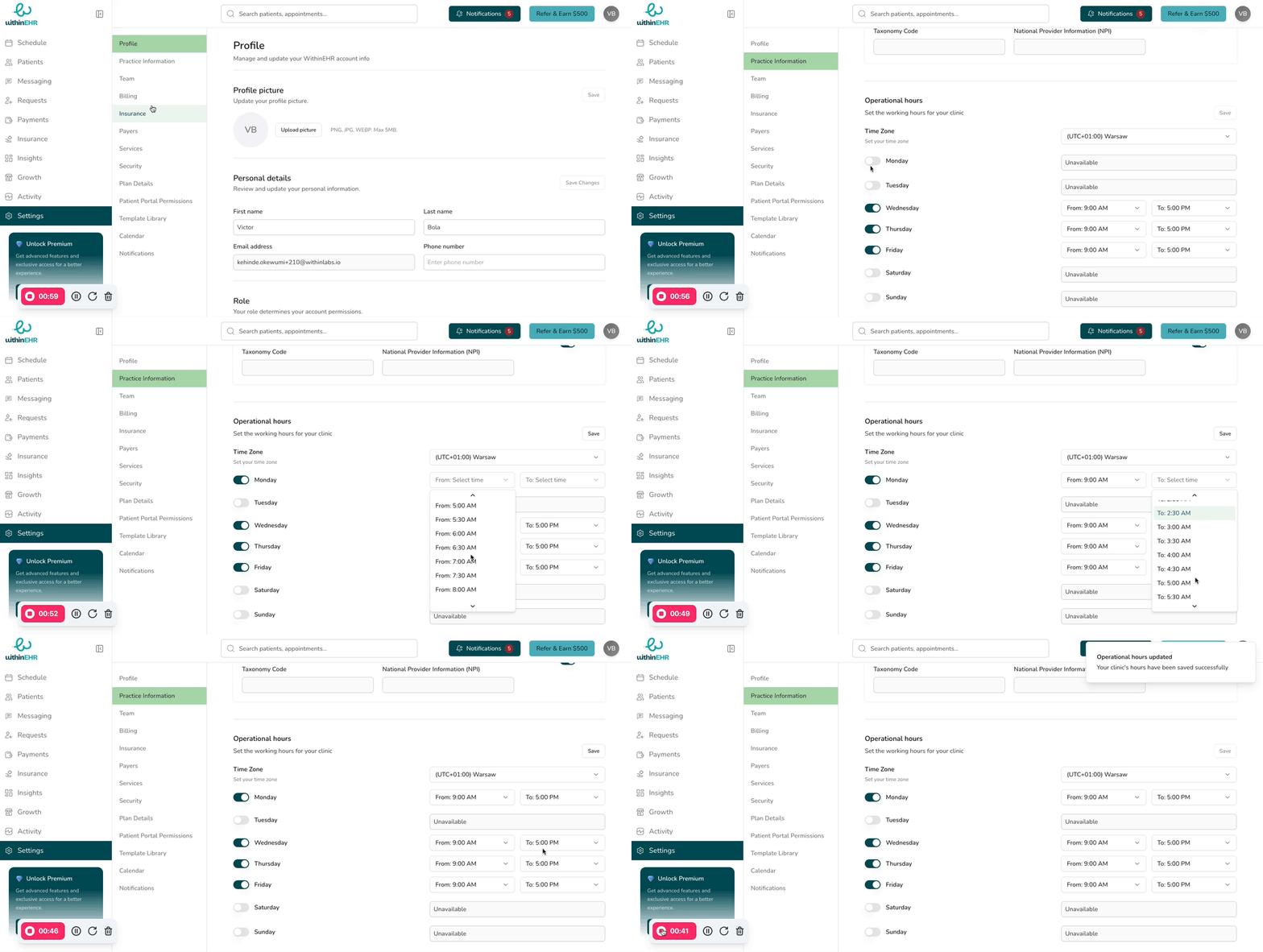
Getting Started with Your Team
Adding team members allows you to distribute workload, manage individual staff schedules and availability, and assign specific services. This is essential for scaling your business and enabling clients to book with the right professional.
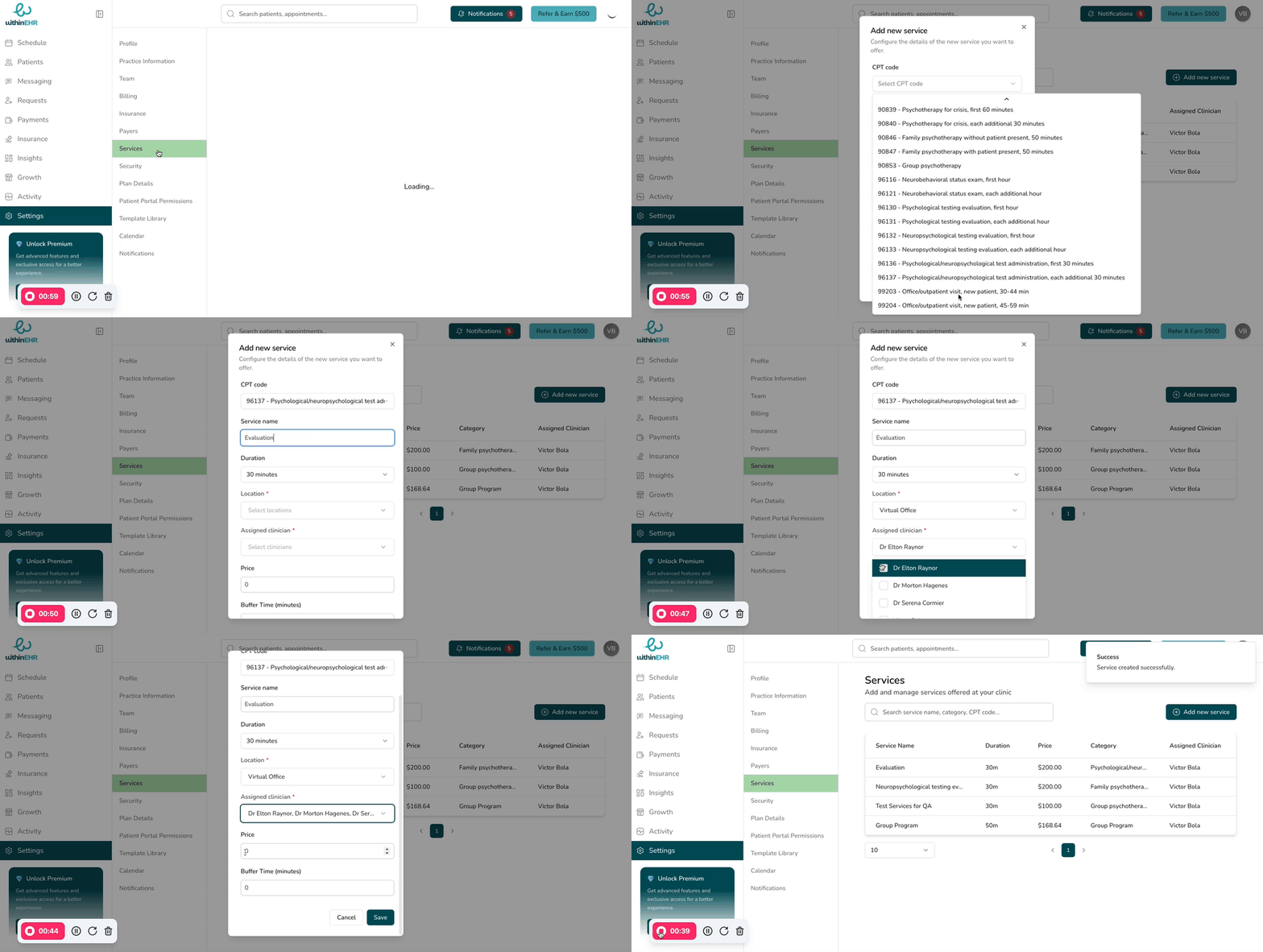
Set up your services
Next, configure the services you'll offer to clients.
-
Go to Settings.
-
Click on Services.
-
Select '+ Add new services.'
-
Fill out the required information for each service and select your preferred option for location and clinician.