Show When You're Out of Office
Out-of-office (OOO) blocks are more than a professional courtesy — they are a critical component of patient safety and continuity of care. When a clinician is unavailable, the system must reflect that accurately so no appointments are booked into an unmonitored slot.
Why OOO Status Matters in Healthcare
Patient Safety and Clinical Continuity
In a healthcare environment, delayed responses can be a clinical risk.
- Preventing Information Silos: Urgent patient data sent to an unmonitored inbox stays trapped. A clear OOO block with a designated cover ensures nothing falls through the cracks.
- Clear Handoffs: An OOO entry provides a directive on who is covering responsibilities — including lab reviews, prescription authorizations, and follow-up communications.
Regulatory Compliance and Accountability
- Audit Trails: Knowing when a staff member was unavailable helps clarify timelines during case reviews or compliance audits.
- SLA Management: Partners and clients can manage expectations regarding response times when availability is clearly communicated.
How to Create an Out-of-Office Block
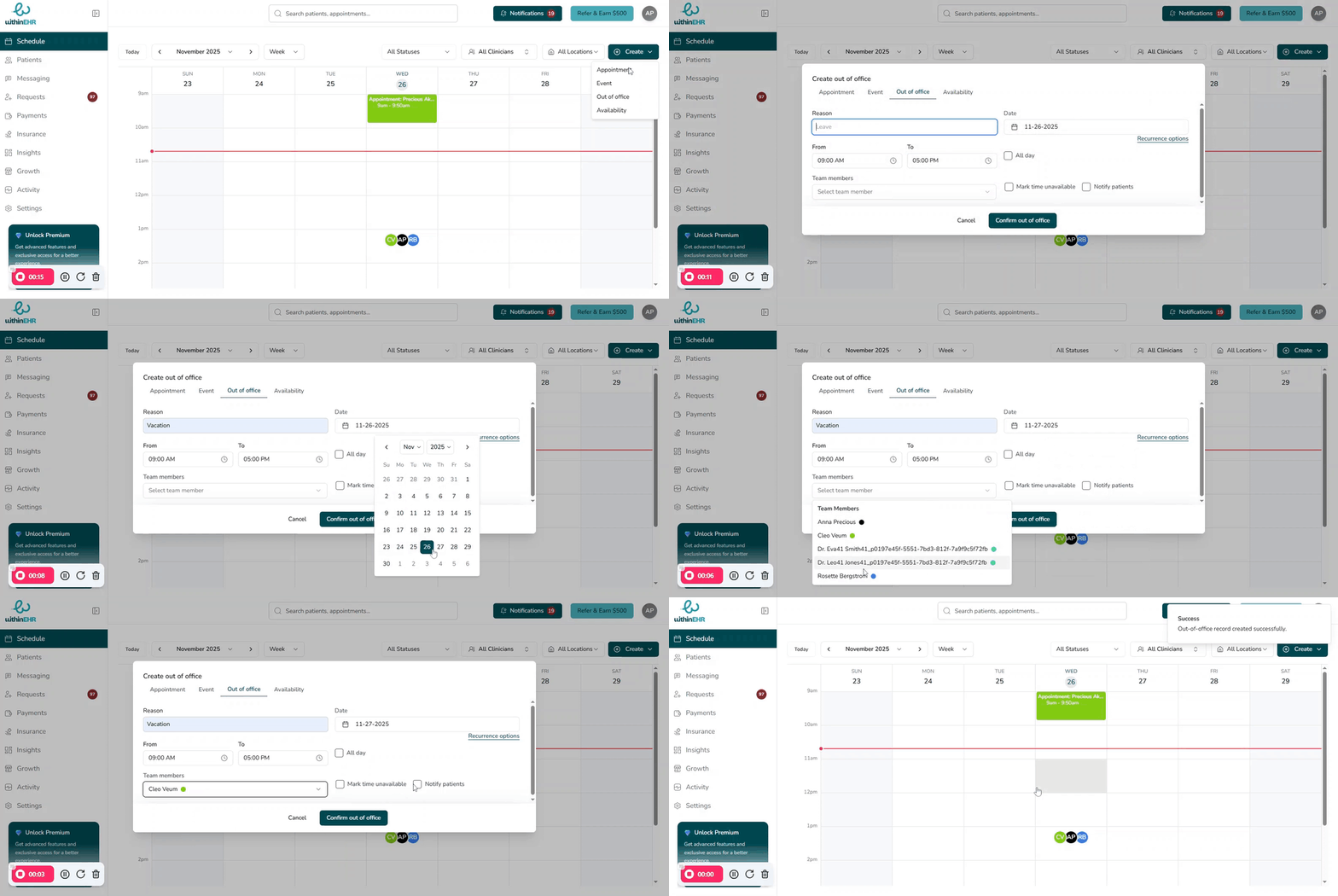
- Go to the Schedule tab.
- Click Create and select Out of Office, or click directly on a time slot.
- Enter a clear title describing the reason (e.g., "Conference," "Annual Leave").
- Set the exact Start Date and End Date. Use All Day for full-day blocks.
- Set a Recurrence pattern if this is a regular absence.
- Select the staff members whose calendars should be blocked.
- Click Confirm Out of Office to save.
Best Practice
Always set your OOO block before you leave and deactivate it immediately upon your return to keep your availability accurate for clients and colleagues.