Client Portal Documentation
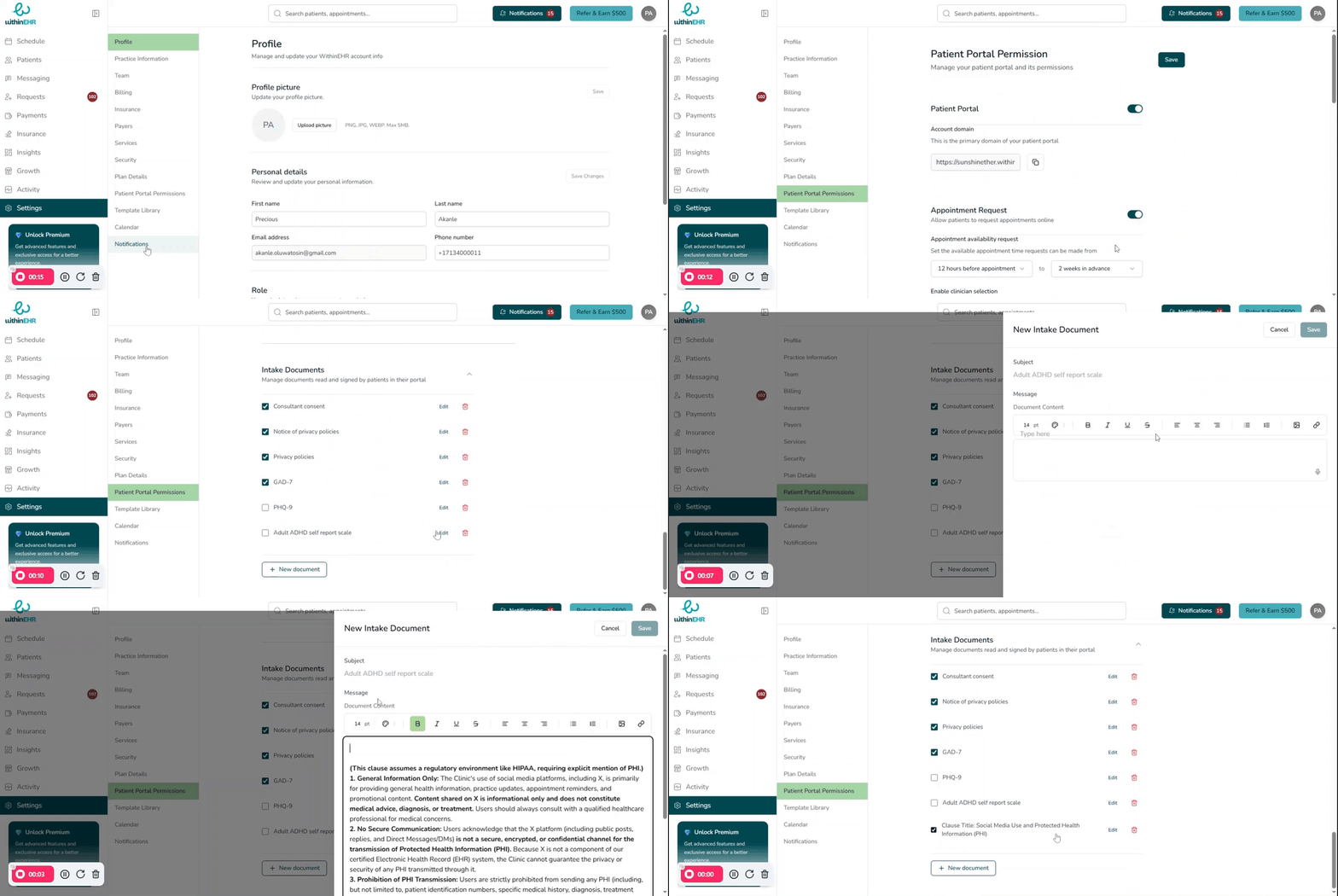
The client portal documentation feature allows your practice to tailor its internal forms, consent documents, and clinical templates directly within WithinEHR. This ensures all documentation aligns with your specific clinical protocols, state regulations, and practice branding.
How to Add or Customize Portal Documents
- Navigate to Patient Portal Permissions within the Settings tab.
- Select New Document.
- Use the built-in document editor to add the necessary content.
- Save the document with a clear, descriptive name (e.g., "2024 Telehealth Consent — Final").
- Check the document to make it immediately available to staff and clients through the portal.