Getting Started with WithinEHR
Your WithinEHR account is more than a login — it is your digital identity within a secure clinical ecosystem. Completing your profile accurately from day one ensures data security, patient safety, and seamless care coordination across your practice.
Why Account Setup Matters
Setting up your account correctly is the foundation of HIPAA compliance, patient safety, and clinical integrity. Every action taken in WithinEHR — from viewing a lab result to updating a prescription — is logged to your unique credentials. An incomplete or inaccurate profile creates gaps in your audit trail and can compromise the quality of care your patients receive.
What Proper Setup Ensures
Data Security and HIPAA Compliance
Healthcare data is among the most sensitive information in existence. A correctly configured account protects it.
- Audit Trails: Every action is accurately logged to your credentials, satisfying core regulatory requirements.
- Access Control: Defining your role during setup ensures you only access the Protected Health Information (PHI) necessary for your specific function — the "Minimum Necessary" principle under HIPAA.
Clinical Accuracy and Patient Safety
A complete profile prevents administrative errors that can escalate into clinical consequences.
- Provider Verification: For clinicians, accurate NPI numbers and credentials ensure that orders and signatures are legally valid.
- Notification Reliability: Critical alerts — such as urgent patient updates — depend on the contact preferences set during initial setup. A missing notification can delay patient care.
Integrated Care Coordination
WithinEHR is built for collaboration. A fully detailed account enables:
- Seamless Referrals: Other providers in the network can identify your specialty and location instantly, accelerating the referral process.
- Interoperability: Correct account metadata ensures data shared between WithinEHR and external EHR systems remains consistent and error-free.
How to Create Your Account
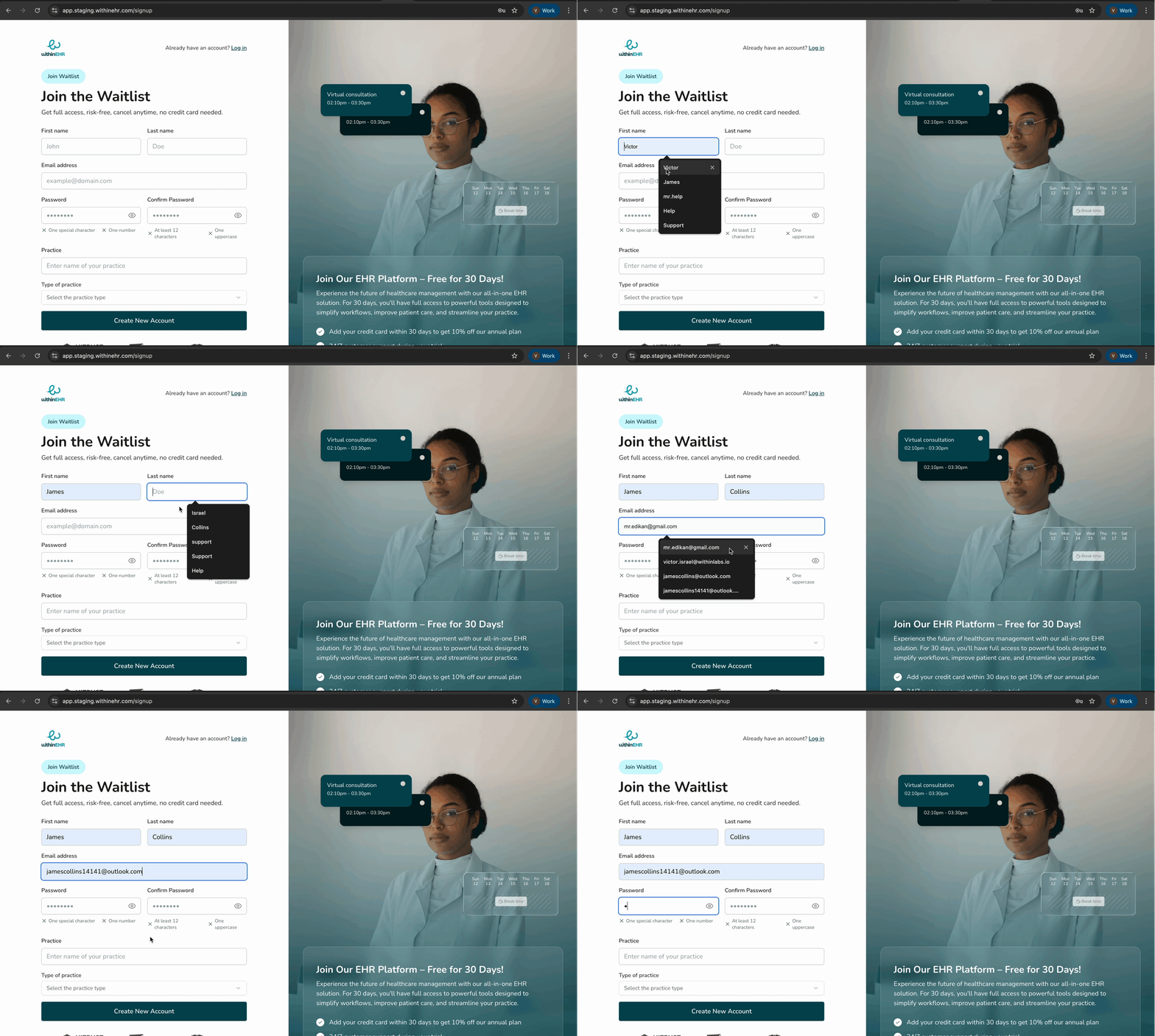
- Click Join the Waitlist on the WithinEHR website.
- Fill in the required fields with accurate practice and provider information.
- Click Create New Account.