Adding a Client
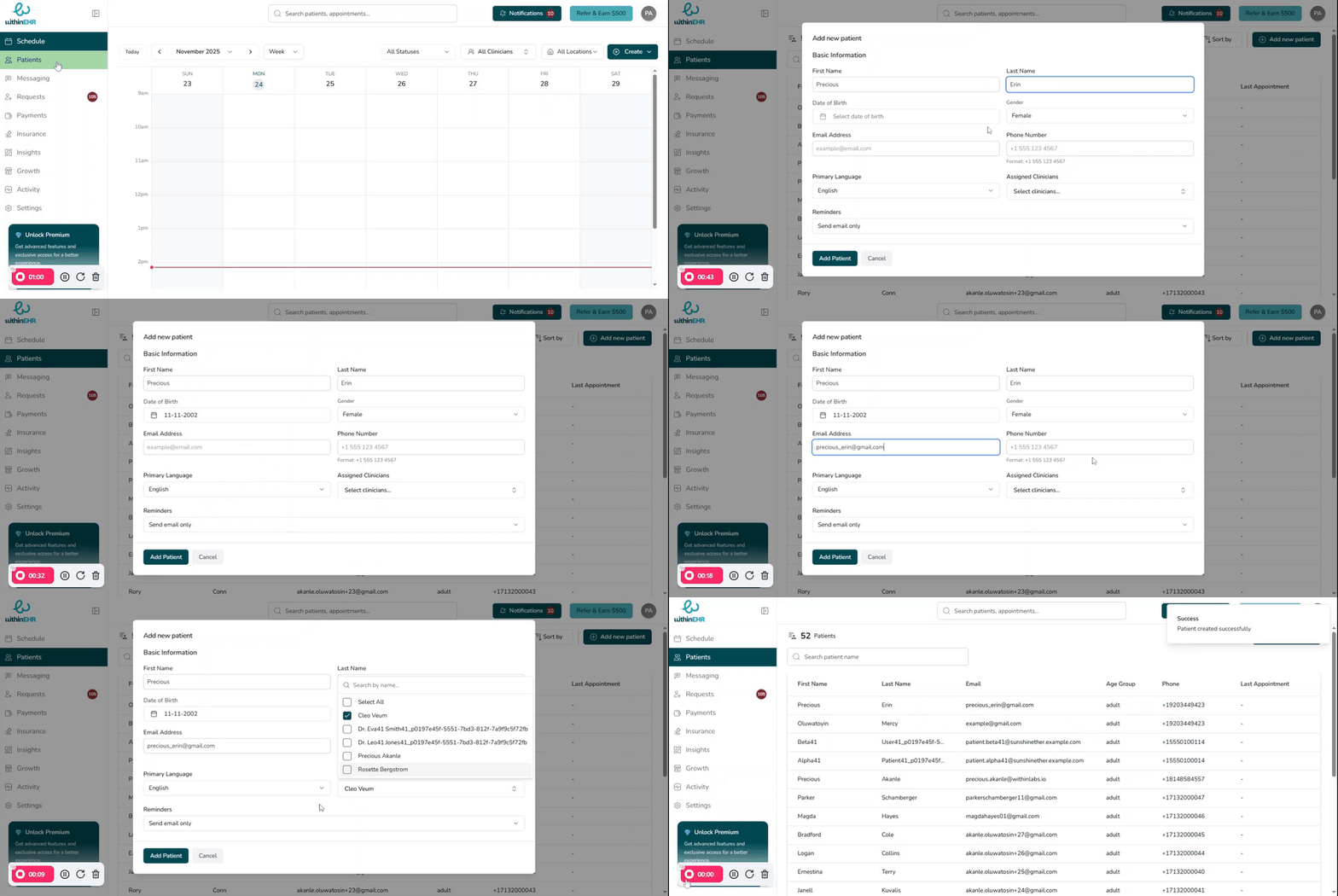
Adding a new client is the foundational step that determines the quality, safety, and efficiency of all subsequent care. An accurately created client profile ensures a seamless experience for both the patient and your clinical team.
Steps to Add a New Client
- From your WithinEHR dashboard, click the Patients tab.
- Select Add New Patient.
- Enter the client's Full Legal Name (as it appears on their insurance card), Date of Birth, and Gender.
- Enter the client's preferred Phone Number and Email Address for appointment reminders and secure portal communication.
- Assign a Clinician to ensure proper communication routing within the practice.
- Click Save.