Assign Staff to a Client
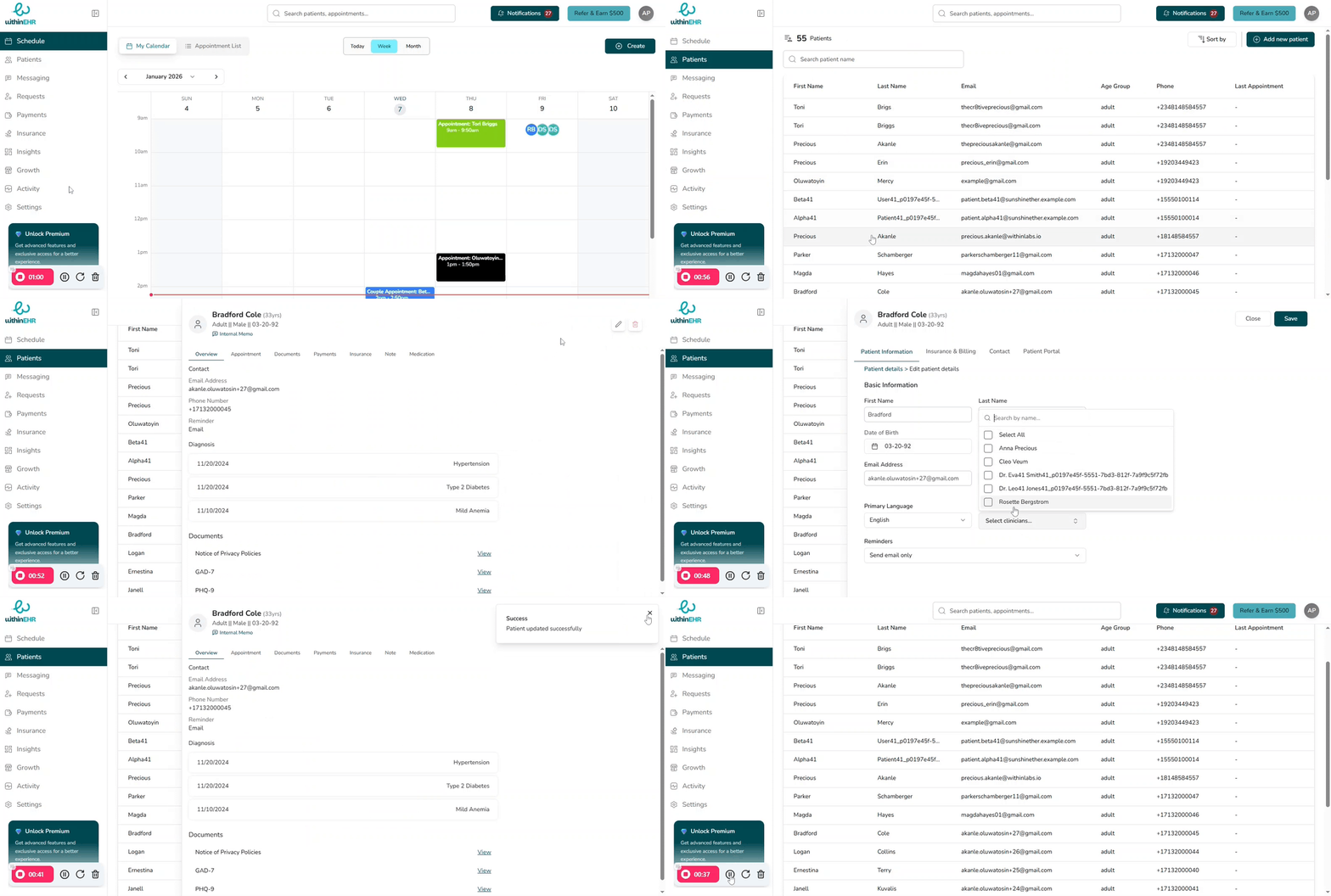
Assigning a specific clinician or staff member to a client creates a clinical partnership that improves care continuity, operational efficiency, and documentation accuracy.
Why Staff Assignment Matters
Continuity of Care
When the same staff member works with a clinician, they become familiar with that clinician's patient panel.
- Patient Trust: Patients often interact with staff first. A familiar face builds rapport and reduces anxiety.
- Clinical Intuition: Experienced staff can anticipate a clinician's needs and notice subtle changes in a recurring patient's health.
Operational Efficiency
- Predictive Support: Staff learn a clinician's specific preferences, leading to faster room turnover and shorter patient wait times.
- Reduced Friction: Eliminates the re-learning phase that occurs when new teams are paired each day.
Data Accuracy and Compliance
- Consistent Documentation: Staff trained in a specific clinician's workflow ensure EHR entries are consistent and meet quality reporting standards.
- Closing the Loop: Dedicated staff are more effective at following up on lab results or referrals because they are personally invested in that clinician's patient outcomes.
How to Assign Staff to a Client
- Select Patients on the navigation pane.
- Choose the patient you want to assign.
- Click the Edit button at the top right of the screen.
- Click the Patient Information tab.
- Select Assign Clinician.
- Choose the clinician you want to assign.
- Click Save.