Change Provider Name
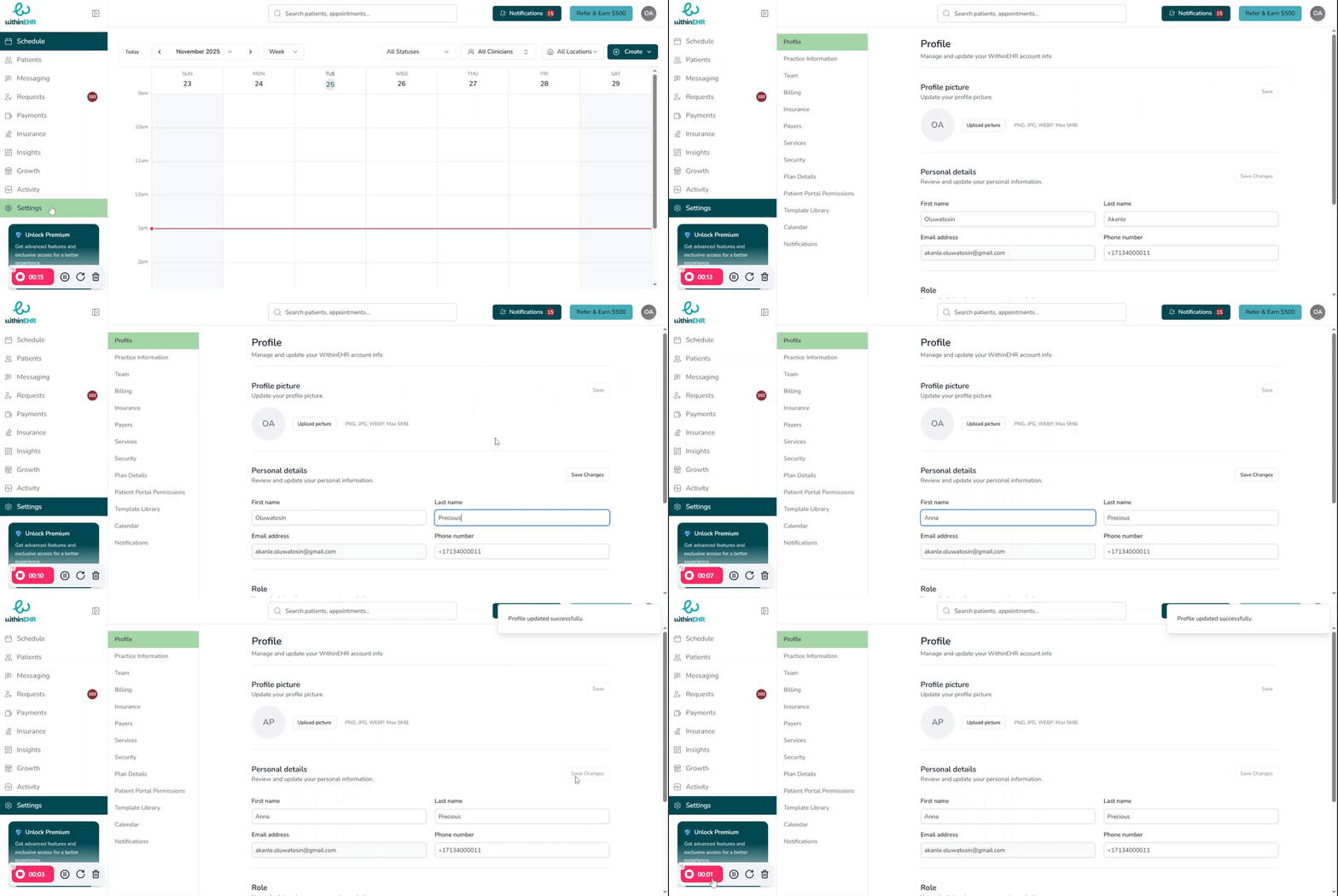
The provider's name must be updated in WithinEHR immediately upon any legal name change. Billing claims must match the provider's registered name exactly — an inaccurate name causes payment delays and claim rejections. All legal documentation, including notes and prescriptions, must also reflect the correct name to maintain the integrity of the medical record.
How to Update the Provider Name
- Navigate to Settings.
- Select the Profile module.
- Go to Personal Details.
- Enter the new legal name.
- Click Save.